PC Optimum
Shopping- Category Shopping
- Size 49.4 MB
- Requirements Android 4.4 and up
- Downloads 820,000,000+
- Package Name com.sap.mdc.loblaw.nativ
- Content Rating Everyone
PC Optimum is a cash-back app that tailors user’s rewards to match the food and products that they buy most.
Unlike any other rewards program, PC Optimum gives users personalized offers based on the items they buy most.
To earn rewards
Users simply need to download the app and scan it at participating retailers including Loblaws, No Frills, Shoppers Drug Mart and more. When they shop from a retailer that is affiliated with PC Optimum, they can earn points that can be redeemed for cash off groceries, merchandise, beauty products, and more. PC Optimum also gives users targeted offers based on their spending, helping users to maximize their return.
Latest Update: Apple Gift Card promotion
From January 27 to February 2, users are able to get 15,000 PC Optimum points back for every $100 spent on Apple Gift Card, a card which can be used to purchase products and software from Apple. 15,000 PC points equals $15, which means that users can get 15% off their $100 Apple Gift Cards. The same promotion is also applicable for PlayStation Store, Google Play, Uber Eats, DoorDash and The Keg gift cards with a $500 limit for Apple and Google Play gift cards.
Features:
Earn points: Earn points when you shop from a retailer that is affiliated with PC Optimum.
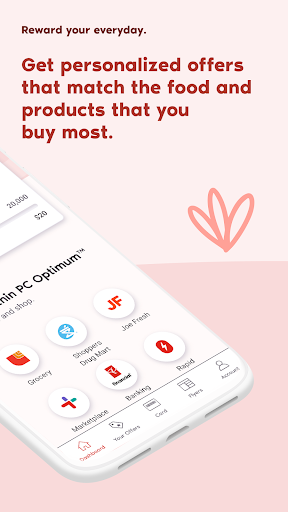
Personalized offers: Get personalized offers that match the food and products you buy most. Whether you’re shopping for your favorite foods, daily essentials or little indulgences, PC tailors your rewards to match the food and products that you buy most.
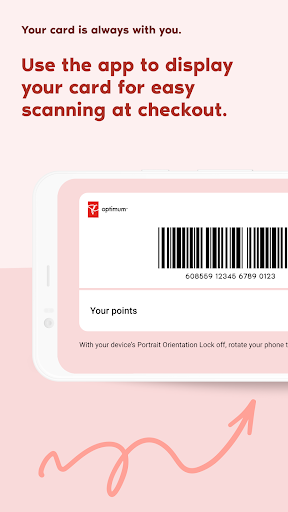
Easy scanning: Use the app to display your card for easy scanning at the checkout.
Manage account: Give you an enhanced way to view your points and transactions.
Redeem points: Find your favorite participating stores and view integrated flyers.
Points inquiry: Submit a missing points inquiry on the app from the transaction you are missing points from or from the Account page on the app.
Household: Link your PC Optimum account up with four other PC Optimum members in order to pool your points.
Points donation: Donate your points to President's Choice Children's Charity, Shoppers LOVES YOU, and more.
How to add a card on the PC Optimum app?
To add a PC Optimum, PC Financial, PC Plus or Shoppers Optimum card to your PC Optimum account, you can simply click on Account, select Manage Cards from the menu, and then click on Add a Card and choose which card you want to link. Follow the steps on the screen that pops up, and the card will be added to your account.
More:
You can download this app from Google Play Store or Apple Store. For Android users, you can download the apk we offer to you and finish the installation.