Roku Mobile App
Entertainment- Category Entertainment
- Size 21.81 MB
- Requirements Android 4.4 and up
- Downloads 340,000,000+
- Package Name com.roku.remote
- Content Rating 12
The free Roku mobile app makes it easy to control your Roku player and Roku TV.
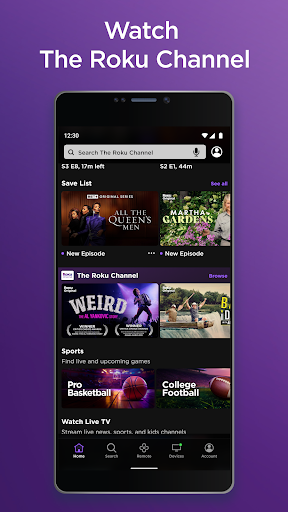
You can use it as a second remote, stream hundreds of hit movies, TV shows with The Roku Channel, enjoying private listening, and more.
Offered by Roku Inc., it has more than 10 million installs and 4.5 ratings on Google Play Store.
You should connect your phone or tablet to the same wireless network as your Roku device to guarantee the specific features of the Roku mobile app. Besides, subscription or other payment may be required to access certain channel content, and the channel availability tends to change and varies by country.
Latest Update: New Live TV guide and Save List coming soon
Rolling out “in the coming weeks,” Roku OS 10.5 will bring a few new features to Roku devices.
Firstly, Roku is adding a new live TV guide. This comes in the form of a new app that will show the “200+ free live TV channels” that are available through the Roku Channel, which provides quicker access to the content.
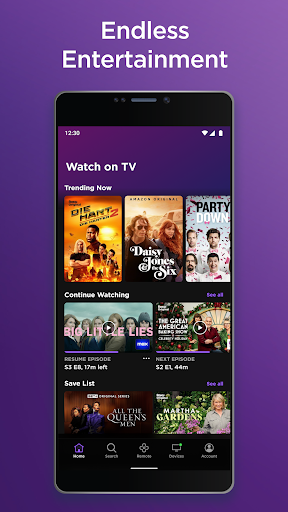
Also, Roku is adding a “save list” to the platform. This comes in the Roku mobile app on the home and remote tabs. Users can search for content and bookmark any content they’d like to see later to the “save list.” Unfortunately, and unlike Google TV, this list doesn’t show up on your Roku itself though, just on the app. Users can save movies and TV shows to the Save List to watch later when they’re in front of their TV again. The Save List can be accessed via the Home and Remote tabs, and users can add titles that they find via search to their Save List.
Key Features
Support voice searching in English in the US, UK, and Canada only.
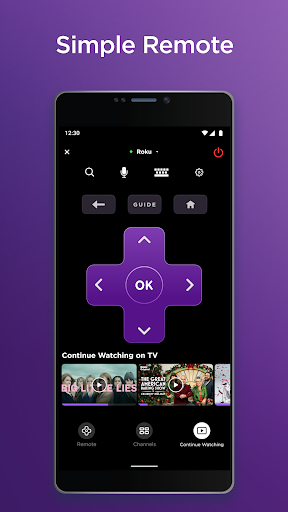
Use Roku app as another remote to control your Roku device.
Stream TV shows as well as hit movies with The Roku Channel.
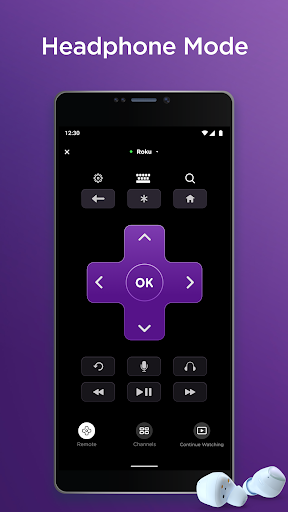
Enjoy private listening with headphones.
Easily Search for movies, actors, the shows, and directors with your voice or keyboard.
Cast photos, music, and videos to your TV, and enjoy the time with the whole family.
Add or launch channels on your Roku device.
Enter text on your Roku device with your keyboard.
How can we cast photos and videos from phone to TV?
For those who own an Android or Windows phone and a Roku device, they can display photos on TV by using the Play On Roku feature on the Roku mobile app. The app feature helps users share photos, videos, and songs stored on their mobile device to their Roku TV.
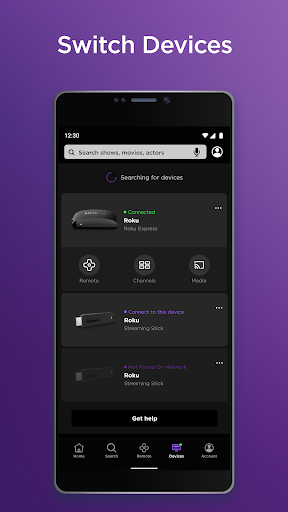
The casting process is quite simple: launch the mobile app, choose a Roku Device, tap the Media icon, and choose the contents from your phone, it will appear on your TV. Make sure your phone is on the same wireless network as your Roku device. However, this feature is currently not available for iPhone users.